
Hardware Wallet Setup: A Brand-Agnostic Walkthrough for Any Device
Hardware wallet setup is the process of initializing a self-custody device that signs blockchain transactions offline. Most setup guides assume you have already chosen a specific brand, which leaves you stuck the moment your device works a little differently from the screenshots.
Key Takeaways
- A hardware wallet does not store crypto. It stores the private keys that authorize transactions, and the device signs each transaction inside a secure chip.
- The setup sequence is the same in principle across devices: generate a seed phrase offline, verify it, set a PIN, install the relevant blockchain app, then test with a small deposit before moving real funds.
- The seed phrase is the real backup. If you write it down incorrectly, lose it, or store it where someone else can find it, no device can rescue you.
- A hardware wallet reduces one specific category of risk, online key theft. It does not protect against phishing approvals, supply-chain tampering, or human mistakes.
Hardware wallet setup is the process of initializing a self-custody device that signs blockchain transactions offline. The mechanics are essentially the same across every device class, but every guide you find online frames the process around one specific brand, which makes the steps look more device-specific than they are. At Blockready, crypto education is built without exchange affiliations or hardware vendor incentives, so this walkthrough stays brand-agnostic. The goal is to give you a framework that works whether you bought a USB device with buttons, an air-gapped device with a QR-code interface, or something newer that has not shipped yet.
Before You Start: Do You Need a Hardware Wallet?
Before unboxing anything, the right question is whether a hardware wallet matches what you are trying to protect. Most beginners hear "cold storage is safer" and rush to buy the most popular device. That is not always wrong, but it skips the actual decision. If you want a deeper foundation on what a crypto wallet actually is and how it works, read that first and come back.
A hardware wallet shines for one specific job: protecting private keys from internet-connected malware. The keys never leave the secure chip inside the device. To approve a transaction, you have to confirm it physically on the device screen. That is why even a fully compromised computer cannot move your funds without you pressing a button.
But a hardware wallet adds friction. Each transaction takes longer. Each new chain needs an app install. Each backup decision becomes a long-term commitment, because if you lose the seed phrase, no one is coming to help you. For small amounts that you trade weekly, the friction may outweigh the benefit. For long-term holdings you would not want to lose, the math usually flips.
There is also a layered approach most experienced self-custody users adopt: a small hot wallet for active use, and a hardware wallet for the position you would be devastated to lose. That structure is closer to how a checking account and a savings account work, except the savings account is sitting in a drawer at your house and you control the only key. The real tradeoffs of self-custody versus exchange custody are worth weighing before you commit to either side.
The Hardware Wallet Decision Tree
Three questions to work through before buying a device, in order.
1. Is the amount large enough that a single hack would be devastating?
No
A reputable software wallet with strong device hygiene may be enough for now. Revisit the decision when the balance grows.
Yes
Continue to question 2.
2. Will you transact daily or weekly?
Yes
Consider a layered setup. A small hot wallet for activity, plus a hardware wallet for the larger long-term portion.
Rarely
A single hardware wallet is likely enough. Continue to question 3.
3. Do you hold one chain or many?
Many chains
A multi-asset device reduces install friction and gives broader app support, at the cost of a larger attack surface.
One chain
A single-chain or Bitcoin-only device offers a smaller attack surface and simpler firmware.
The decision tree is a starting point, not a verdict. Your answer may change as your holdings grow.
Framework: Blockready educational synthesis based on wallet security sources cited in the article.
The Universal Setup Steps
Every hardware wallet, regardless of brand, walks through roughly the same sequence. The order matters more than the screen layout. Skipping or rushing any of these steps is where most setup mistakes happen.
Step 1: Verify the device before you power it on
Real devices arrive in tamper-evident packaging. Inspect the box for signs it was opened: torn seals, mismatched stickers, glue residue around the edges. Hardware vendors usually publish photos of what genuine packaging looks like. Check those references rather than trusting your instincts. The bigger risk is not a torn box. It is a perfectly clean box that came from a malicious reseller.
Step 2: Power on and choose to create a new wallet
A real device, fresh from the factory, has no prior wallet on it. If your new device asks you to enter an existing seed phrase you do not recognize, or shows a balance you did not create, stop. That device may have been tampered with before it reached you. Contact the manufacturer.
Step 3: Write down the seed phrase on the supplied recovery card
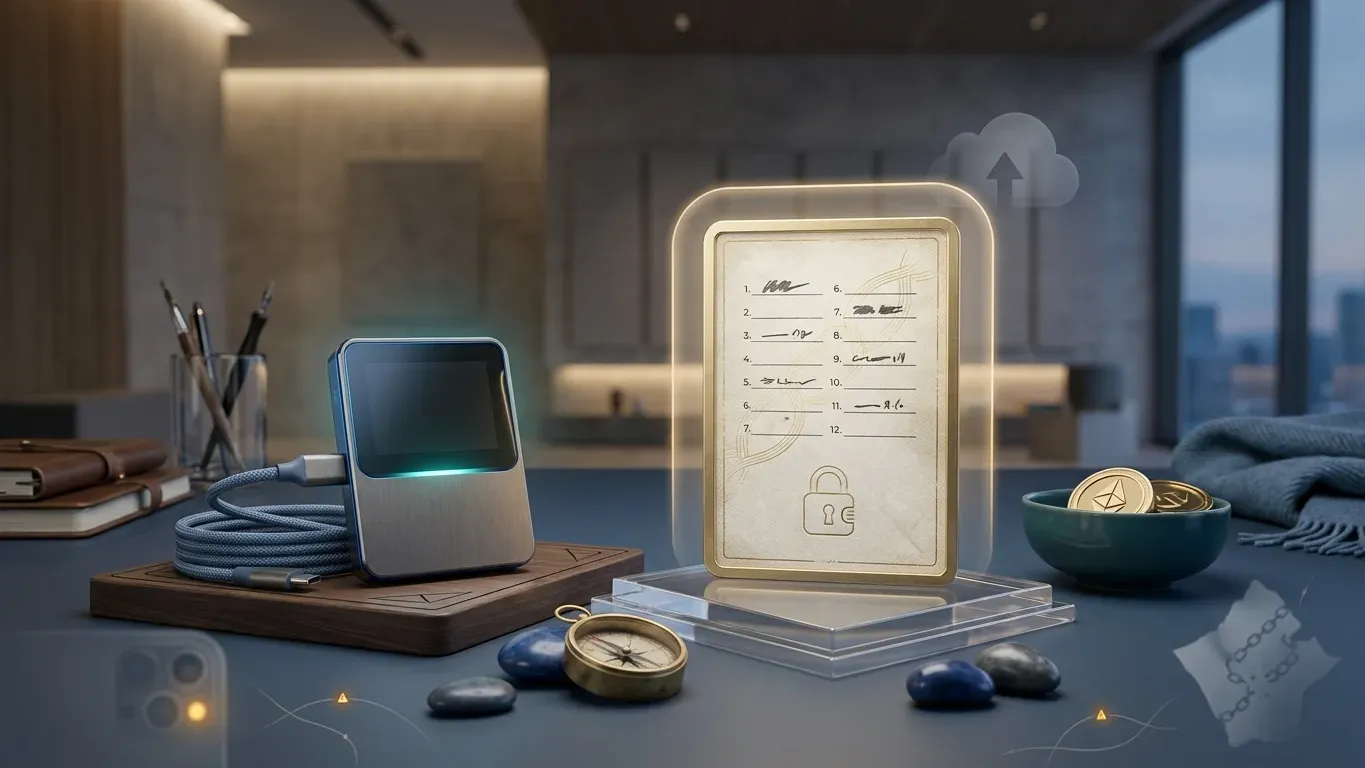
This is the single most important moment of the setup. The seed phrase is a 12 or 24-word sequence drawn from a fixed 2,048-word list defined in BIP-39, the open standard most wallets use. Write each word legibly. Number each line. If you misspell one word or skip one position, the recovery will fail later, and you may not realize it until you need to restore.
Step 4: Verify the seed phrase by typing it back on the device
Most wallets ask you to confirm a few specific positions from the sequence. Some ask for all 24. Whichever it is, do not skip this step or assume you wrote it down correctly the first time. This is where errors get caught.
Step 5: Set a PIN
The PIN protects the device against casual physical access. Choose something longer than the minimum. Most devices wipe after a small number of wrong attempts, so a determined thief cannot brute-force a six-digit PIN, but a short PIN is still weak against shoulder-surfing.
Step 6: Install the app or coin module for the chain you plan to use
This is also when the device often performs its first firmware check. The manufacturer's official desktop application or web app is the only place this should happen.
Step 7: Generate a receive address on the device, verify it on screen, and send a small test transaction first
The verify step matters. Address-poisoning malware on the host computer can swap the address shown on screen at the moment you copy it. The device screen, not the host screen, is the truth.
How a Hardware Wallet Signs a Transaction
Understanding what each part does makes the device's protections much clearer.
Transaction signing
The host computer builds a transaction. The device verifies and signs it. The blockchain accepts the signature.
Part 1
Host computer or phone
Constructs the transaction and sends it to the device. Treated as untrusted by design, even when malware-free.
Part 2
Device screen
Displays the transaction details the device actually received. This is the truth layer for verification.
Part 3
Secure element
Stores the private keys derived from the seed phrase. Signs the transaction inside the chip. The keys never leave.
Part 4
Confirm button
Your physical approval. Without a button press, no signature happens and no funds move.
Framework: Blockready educational synthesis based on wallet security sources cited in the article.
This is not academic. Understanding how a hardware wallet signs a transaction is the difference between catching a malicious transaction on the screen and signing it because the device asked you to. Kraken Security Labs published research in July 2020 demonstrating two supply-chain attacks against the Ledger Nano X, called Bad Ledger and Blind Ledger, in which a tampered device could turn off its own display and trick users into approving transactions that looked routine. Ledger patched the issue in firmware 1.2.4-2, and the secure element itself was never compromised. The patch closed the specific exploit, but the lesson sits inside every hardware wallet setup. The screen is your only honest signal. If anything makes that screen unreliable, the rest of the security model gets weaker.
Device-Class Notes: USB, Air-Gapped, Multi-Asset, Bitcoin-Only
Different hardware wallets occupy different points on a tradeoff curve. Knowing where your device sits helps you understand what its setup does well, what it does badly, and which threats it does not address.
USB devices with buttons. This is the most common class. The device connects to a host computer or phone, communicates over USB or Bluetooth, and uses physical buttons for confirmation. Setup typically runs through a desktop app or web companion. The big advantage is convenience. The big tradeoff is that the host connection itself is a surface area for attacks. Even though private keys stay inside the secure element, malicious software on the host can present misleading transactions, which is why the device-screen verification step matters every single time.
Air-gapped devices. These never connect directly to a computer. Instead, transaction data moves between device and host through a QR code shown on the device camera, or through a microSD card. No USB. No Bluetooth. No WiFi. The setup ritual is similar but feels different. You will spend more time scanning codes and less time clicking through companion apps. The tradeoff is friction. Routine activity becomes slower. The benefit is that an entire category of attack, anything that depends on a network or USB interface, becomes infeasible. The broader fundamentals of securing your crypto wallet still apply on top of whichever device class you choose.
Multi-asset devices. These support most chains: Bitcoin, Ethereum, Solana, the major Layer 2s, and a long list of smaller chains. The convenience is real. The downside is firmware complexity. Each new chain integration is more code that needs to remain secure. The largest attack surface in past hardware wallet disclosures has usually been third-party chain integrations, not the core firmware.
Bitcoin-only or single-chain devices. These intentionally narrow the surface. The firmware ships with only one or two chains' worth of code. There is less to go wrong and less to audit. The cost is obvious. If you decide later to hold Ethereum or Solana, you will need a separate setup or a separate device. For long-term Bitcoin storage where you want the smallest possible firmware footprint, this class is the cleanest choice.
These categories are not mutually exclusive. Some experienced users keep a multi-asset device for active management and a Bitcoin-only device for the long-term position. There is no single right answer. The question is what risks you are trying to reduce.
Hardware Wallet Setup: Myths vs Reality
Myth
An intact holographic seal means the device is safe.
Counterfeit packaging exists. Seals can be replicated. Visual inspection alone is not enough.
Reality
The device proves its integrity through the setup flow, not the box.
A genuine device should generate a new seed phrase on first power-on and verify firmware integrity with the manufacturer's official app. A pre-loaded wallet is a red flag.
Myth
A hardware wallet is unhackable.
No device is. Hardware wallets reduce one specific class of risk.
Reality
A hardware wallet protects private keys from online theft.
It does not protect against phishing approvals, social engineering, lost seed phrases, malicious smart contracts, or supply-chain tampering of an unverified device.
Myth
Buying second-hand saves money safely.
A factory reset is not a guarantee. Tampered firmware can survive a reset.
Reality
Buy new from the official vendor or an authorized reseller.
The savings on a used device are tiny relative to what you are protecting. Treat the purchase channel as part of the security model.
Framework: Blockready educational synthesis. Supply-chain risk references include the Kraken Security Labs 2020 research cited in this article.
The Verify-Before-Deposit Pass
The setup is not complete when the device says "ready to receive." The setup is complete after you have sent a small test deposit, watched it arrive, sent a small test transaction back out, and confirmed both worked. Anything before that is unverified.
This pass exists because the most common loss in self-custody is not a sophisticated hack. It is a setup error the user discovered too late. A misspelled word in the seed phrase. The wrong derivation path. A typo when restoring on a different device. An address copied from a phishing site instead of the device screen. The verify pass catches these before they cost real money.
The Verify-Before-Deposit Checklist
Framework: Blockready educational synthesis based on wallet security guidance cited in the article.
Inheritance is the part most people skip. Long-term crypto holdings deserve a real plan for what happens if you cannot access the device or remember the phrase. Blockready's walkthrough of the four crypto inheritance mechanisms covers how to choose between them, from sealed letters of instruction to multi-signature and smart contract wallets.
Risk
Never type your seed phrase into anything connected to the internet
No legitimate wallet support team will ask for your seed phrase. No real firmware update needs it. If a website, browser extension, popup, email, or "support agent" asks for the 12 or 24 words, it is an attack. The phrase is written on a recovery card for a reason. Recovery happens on the device itself.
Your First Transaction: Clear Signing vs Blind Signing
The first real transaction is also the first real test of whether the device is doing what you think it is. Two things to watch for on the screen.
The first is clear signing. A well-implemented transaction shows you the recipient address, the amount, the token, and the network in plain readable language. You can verify every field before you confirm. Bitcoin transactions, simple Ethereum transfers, and most major-chain operations support clear signing.
The second is blind signing, which is the situation where your device shows you a hash or a generic message rather than the actual transaction details. Blind signing usually appears when interacting with smart contracts the device does not have a translation library for. The trouble is obvious. You are confirming something the device cannot fully describe to you. That is exactly the surface most approval-phishing attacks exploit, where a routine-looking signing request actually grants a malicious contract permission to drain your tokens.
The Ethereum ecosystem has standardized typed structured data signing through EIP-712, which lets wallets display human-readable signature details rather than opaque byte strings. The standard exists precisely because blind signing is a known risk vector. As an early hardware-wallet user, the safest rule is simple. If the device can show you what you are signing, read it. If it cannot, do not confirm unless you fully understand what the contract does. Blockready's approval phishing walkthrough covers the mechanism, where a single signature gives an attacker permission to move your tokens, which is one of the most common ways funds disappear from otherwise secure wallets.
In the early days of your hardware wallet, stick to clear-signing transactions. Build the habit of reading the screen before pressing confirm. Treat blind-signing requests as something to investigate, not something to rush through.
Beyond this article, hardware wallet setup is one piece of a larger picture. Blockready's Module 6 Wallets covers custodial versus non-custodial storage models, seed phrase management, hot versus cold storage tradeoffs, hardware wallet integration patterns, and security best practices as separate learning steps, because mixing them together too quickly is where most beginner mistakes start.
Common Mistakes Worth Avoiding
Self-custody losses often do not come from sophisticated attacks. They come from small setup mistakes that compound. Naming a few of them is not meant to make anyone feel foolish. These mistakes are common because the system is genuinely new to most people, and the warnings often arrive after the damage is done.
Treating the device as the backup. The device is replaceable. Manufacturers stop selling old models. Firmware reaches end of life. The seed phrase is the actual backup, and it only works because of the open standard behind it. BIP-39 mnemonic phrases convert randomly generated entropy into 12 or 24 words drawn from a standardized 2,048-word English list. Any BIP-39 compatible wallet can restore the same keys from the same words. That is why losing the device is recoverable and losing the words usually is not.
Storing the seed phrase digitally to "test" it. Photos, screenshots, cloud notes, voice memos, encrypted password manager entries. All of these have leaked at scale at some point. If the seed phrase passes through any internet-connected layer, treat it as compromised and generate a new wallet.
Buying second-hand or from an unverified marketplace. The savings are small. The downside is total. Ledger's own Donjon security team confirmed the supply-chain attack class that Kraken Security Labs identified in July 2020, even though the secure element itself was never compromised. The fix was a firmware patch. The lesson is structural. Provenance matters.
Skipping the small test transaction. People sometimes send the full balance to a new address without testing. Then discover later that a typo or address-poisoning malware diverted the funds. The test transaction takes a few minutes and costs almost nothing relative to what it protects.
Our View
Our view, based on how this topic is taught in Blockready's curriculum: a hardware wallet is not a security product you buy. It is a security practice you build. The device is the easy part. What surrounds it matters more. That means verifying the screen, testing every new address with a small amount, and treating the seed phrase as the actual asset rather than the device. That discipline is what determines whether the setup actually protects you. When this concept is taught too early, beginners walk away thinking the device alone is the answer. When it is taught alongside threat modeling and the verify-before-deposit pass, beginners walk away with a habit, not just a gadget.
Frequently Asked Questions
How long does it take to set up a hardware wallet?
Most hardware wallet setups take between 30 and 60 minutes, with the bulk of the time spent on writing down the seed phrase carefully and verifying it. The signing setup itself takes 5 to 10 minutes. The verify-before-deposit pass adds another 15 to 30 minutes depending on the chain. Rushing the seed phrase step is the single most common cause of setup errors.
What happens if I lose my hardware wallet recovery phrase?
If you lose the recovery phrase but still have the working device, your funds are temporarily safe but you have no backup. If both the phrase and the device are gone, the funds are unrecoverable in the vast majority of cases. The recovery phrase is the only restoration method for a standard self-custody wallet. Blockready's five-scenario walkthrough for seed phrase loss covers the recovery options in detail. Creating a new wallet and migrating funds is the standard response if you still control the device.
Can I buy a second-hand hardware wallet?
Buying a second-hand hardware wallet is generally not recommended. A factory reset does not guarantee that the firmware has not been tampered with, and a malicious previous owner could have introduced modifications before reselling. The savings are small relative to what the device is meant to protect. Buy new from the official vendor or an authorized reseller.
How do I verify my hardware wallet receiving address is genuine?
To verify a receiving address, compare what the device's own screen displays against what your host computer's wallet app shows. Match the first 4 to 6 characters and the last 4 to 6 characters at minimum. Address-poisoning malware can replace the address on the host screen at the moment of copy, but it cannot change what the secure element computes and displays on the device. The device screen is always the authoritative source.
What is a hardware wallet recovery phrase and why does it matter?
A hardware wallet recovery phrase is a 12 or 24-word sequence that encodes your private keys. It is generated by the device during setup using the BIP-39 standard, which draws from a fixed 2,048-word list. The phrase matters because it is the only complete backup. If the device breaks, gets lost, or becomes obsolete, the phrase restores access to the same keys on any compatible wallet. For unfamiliar terms across crypto, the Blockready crypto glossary is a useful reference.
Are hardware wallets compatible with all cryptocurrencies?
Most multi-asset hardware wallets support the major chains, including Bitcoin, Ethereum, Solana, and the leading Layer 2s, but coverage varies by device and firmware version. Single-chain devices, such as Bitcoin-only hardware wallets, intentionally limit support to reduce attack surface. Always check the official manufacturer's compatibility list before assuming a specific chain or token is supported.
What is the difference between a hardware wallet and a hot wallet?
A hardware wallet stores private keys inside a dedicated offline device. A hot wallet stores private keys in software on a computer or phone that is connected to the internet. The practical difference is that a hot wallet can be drained by malware on the host device, while a hardware wallet requires physical confirmation on the device screen for every transaction.
Do I really need a hardware wallet for small amounts of crypto?
For small amounts that you would be comfortable losing, a reputable software wallet with strong device hygiene is often sufficient. A hardware wallet becomes worth the friction once the balance grows to a level where a single hack would be financially or emotionally painful. Most experienced self-custody users adopt a layered approach: a small hot wallet for activity, plus a hardware wallet for the long-term portion.
Build the Foundation Before You Buy the Device
Hardware wallets make more sense when you already understand how blockchain transactions work and why custody matters. Blockready's free tier covers Module 1 Blockchain, Module 2 Cryptocurrencies, and Module 3 Bitcoin, plus the glossary and FAQ library, so you can build the foundation before you spend on hardware.
Start Free